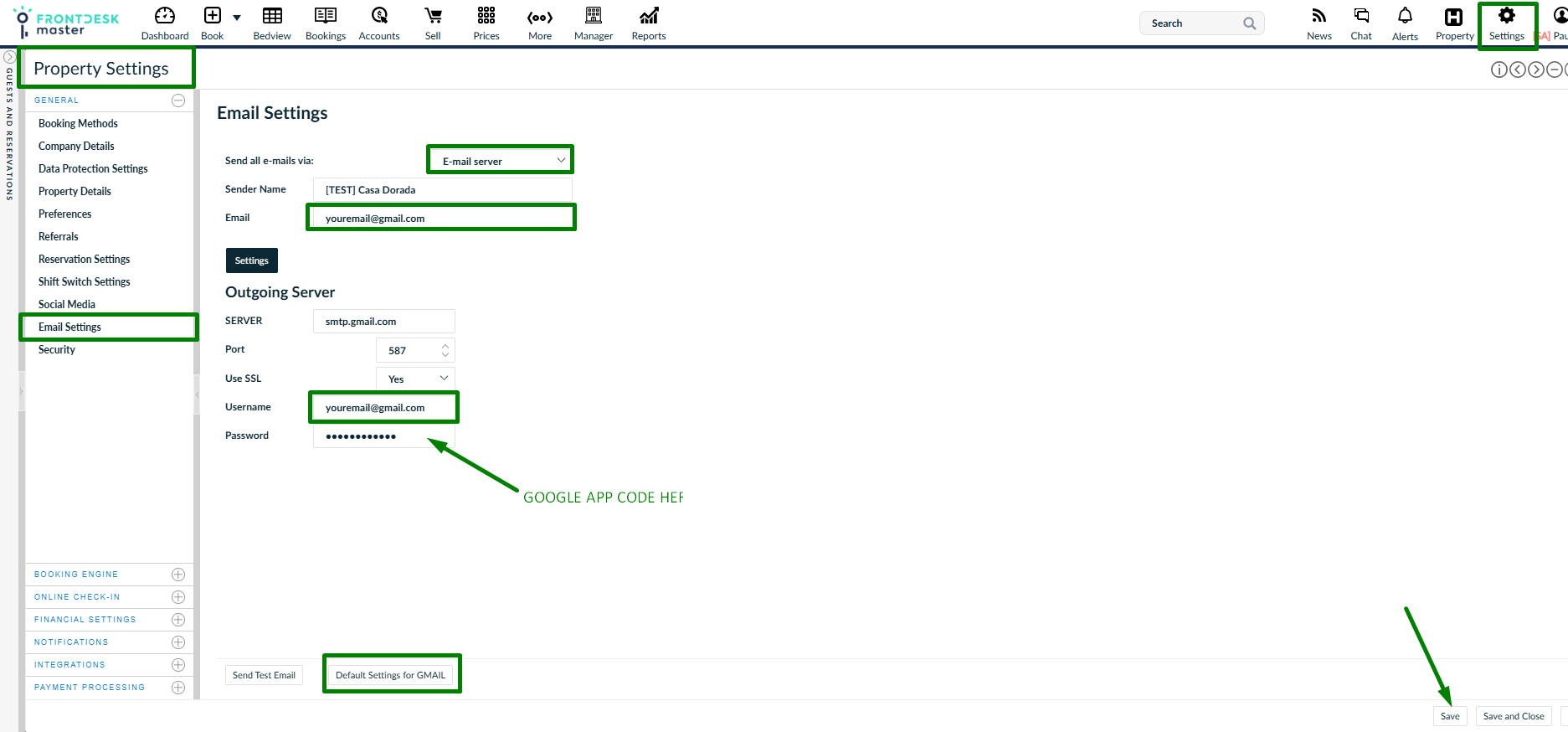
In order to be able to make the automatic emails to be sent to the guests from your own GMAIL account you need to:
- Go to Google Account Settings: Navigate to https://myaccount.google.com/security.
- Enable 2-Step Verification: If not already on, turn on 2-Step Verification under "How you sign in to Google".
- Locate App Passwords: Click on "App passwords" (usually under 2-Step Verification or in the search bar)
- Create Password: Enter an app name (e.g., "Outlook", "Mail") and click Create.
- Copy Code: A 16-character code will appear. Copy it immediately, as it cannot be viewed again. This code has to be used as password in FrontDesk Master settings.
Once you get the code:
* Go to Property Settings / General / Email settings.
* Choose E-mail server from the list.
* Click on Default settings for Gmail.
* Put your gmail address.
* In password field put the Google app code,
* Save the changes.